- Insidr.ai Newsletter
- Posts
- Top AI Advancements, Guides & Tools June 13th 🙋🏼♂️
Top AI Advancements, Guides & Tools June 13th 🙋🏼♂️
Top AI Advancements, Guides & Tools June 13th 🙋🏼♂️

insidr.ai
June 13, 2024
Top AI Advancements, Guides & Tools June 13th 🙋🏼♂️
Here is a new week of AI for you!👇
💡In this newsletter:
AI Guide: Create workflows & automate tasks + custom made linkedin scraping bot.
AI Poll: Do you want to see more automation?
AI News & Trends: Interesting happenings in the AI landscape.
AI Tools: Top 5 AI tools this week.
🤖 LinkedIn Scraper Bot
💡 With Make.com, you can create endless amounts of automations by linking apps and platsforms together, and designing it to solve tasks.
Let’s take a look at how you can scrape leads and contacts from LinkedIn.
LinkedIn Scraping Bot - using Make👇
Here is a custom made, ready-to-go template, or “AI bot”, that you can try for yourself.

It scrapes LinkedIn profiles and creates a summary, like what he does, where he works, what he needs and more.
First go to Make.com and create a Free account.
Next, click here to setup the template/bot. Then click “create new scenario from template”.
Now go to PhantomBuster.com and create a Free account. Under the “Solutions” drop-down menu, click on “Phantoms”.
Choose the “LinkedIn Search Export” and follow the setup guide. You will need a chrome extension for this, so use Google Chrome and download that as well.
Now go to “my workspace settings” in PhantomBuster and create an “API Key”, then copy-paste that into the PhantomBuster tab in Make.com.
Under “Phantom ID” you choose the name of the Phantom that you just created. Under “Container ID” you choose the latest one.
From the “OpenAI tab” click “add” to connect your account.
If you don’t know how; go to the link under “API key” in the OpenAI tab, then follow the guide. Then input the API key and organization ID when you have it.
From the “Google docs tab” just click “add” and connect your google docs account.
Choose where the document should be created.
Click “run it once” to start the process.
Customize: The settings and prompts have already been customized for you, but if you want to edit the scraping details, you can click the “OpenAI tab” and got to the “Message Content” box, then add/edit the “JSON tags”.
Just click in the box and you will get more options to choose from; customize however you like.
If you want to automate the process:
For example if you want to run the process automatically every friday at 11pm, then just click the “Every 15 minutes.” button at the bottom left.
→ Choose the scenario from the dropdown box
→ Choose the day(s)
→ Choose the time
→ Click ok, then click “save” under “controls” on the right side of the button.
→ Lastly; “turn on” the workflow on the left side of the button, and it will run automatically from now on.
🛠️ Top AI Tools This Week
👉 Find all the best AI tools in the: AI tools directory.
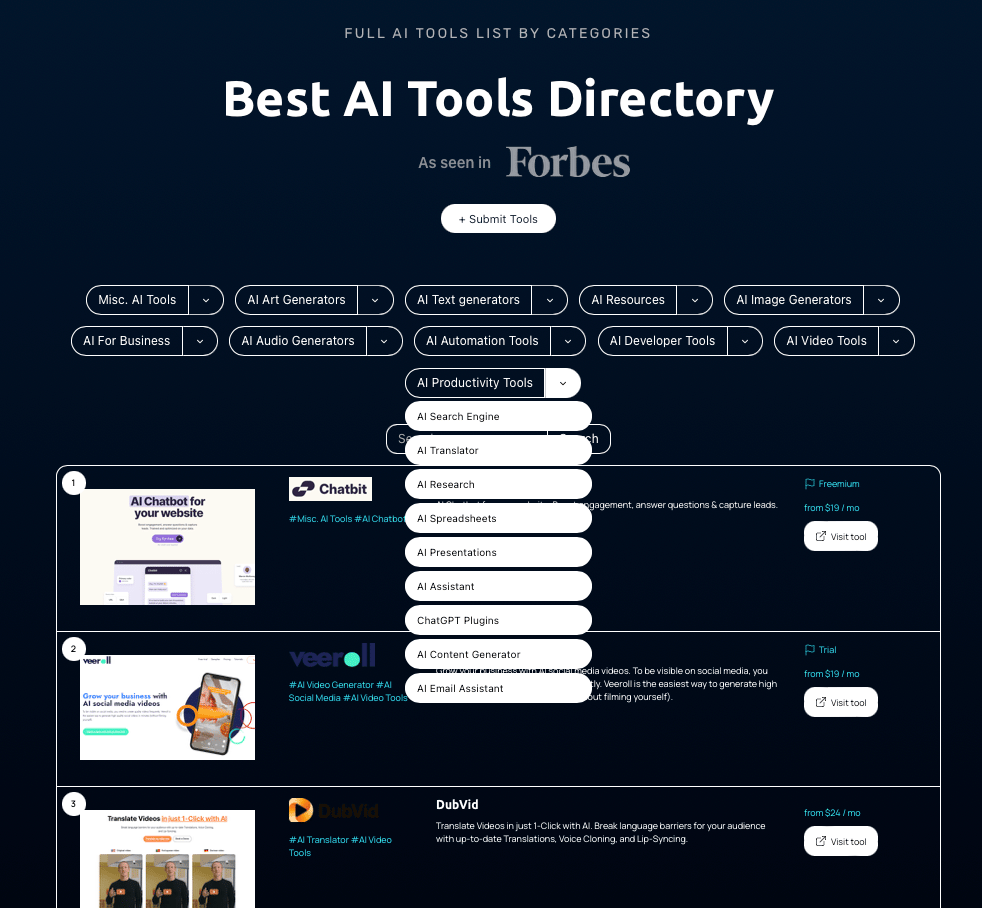
Top 5 AI tools this week👇
+ Jusi (Startup) - Jusi helps increase the efficiency of website application development by up to 25%.
﹢ Metaforms (Forms) - The AI-upgrade to Typeform & Google Forms Metaforms AI is your professional survey maker and analyst.
+ Jazon (Sales) - Meet Jazon World’s First ‘Downloadable’ AI SDR Jazon is an AI Sales Development Representative that automates your research, reach out & responses so you can focus on closing deals.
+MindStudio (AI Agent) - Rapidly build custom AI applications and automations — no coding required. Easily mix and match the latest models from OpenAI, Anthropic, Google, Mistral, Meta, and more.
+Ingest AI (Workflows) - AI-Powered Innovation Platform. At IngestAI Labs, they bridge the gap between early-stage startups and businesses eager to innovate affordably and efficiently.
🙋🏼♂️ AI News and advancements
Apple made a splash at WWDC 2024 by introducing "Apple Intelligence," which supercharges Siri with generative AI. They also rolled out new AI features in iOS 18, making apps like Mail and Messages smarter and more efficient.
The new macOS 15, named Sequoia, and tvOS are getting cool AI upgrades too, like better subtitles and clearer dialogue on Apple TV (TechRadar) (iMore).
Over at the Data + AI Summit, there were some exciting talks on data governance, machine learning, and generative AI. They showcased new tools that make optimizing and deploying AI models a breeze.
Highlights included sessions on Low Rank Adaptation (LoRA) and quantization techniques, which help in making models more efficient and faster to fine-tune(Databricks) (IBM - United States).
There’s also a push for more powerful virtual agents that can do more than just chat with you – think making reservations and planning trips (IBM - United States) (Gadgets 360).
It’s clear that AI is becoming more accessible and powerful, whether for everyday use or big business applications.
Have a great weekend, and we’ll talk soon 🚀
Best Regards,
Lasse Linnes, CEO Insidr.ai