- Insidr.ai Newsletter
- Posts
- Top AI Advancements, Guides & Tools June 21tst 🙋🏼♂️
Top AI Advancements, Guides & Tools June 21tst 🙋🏼♂️
Top AI Advancements, Guides & Tools June 21tst 🙋🏼♂️

insidr.ai
June 21, 2024
Top AI Advancements, Guides & Tools June 21st 🙋🏼♂️
Here is a new week of AI for you!👇
💡In this newsletter:
AI Guide: Create automations with make + custom made sales letter bot.
AI Poll: What do you want to see next?
AI News & Trends: Interesting happenings in the AI landscape.
AI Tools: Top 5 AI tools this week.
🤖 Create Sales Letters with AI & Automation
💡 Last week we asked if you wanted to see more ways to create automations with AI, and 98% of you that answered yes!
So we will be creating more automations and guides on how to create/implement AI for you.
Today, let’s take a look at a simple one for you that you can test and learn some basics of creating automations with Make.com!
Sales Letter Bot - using Make👇
Here is a custom made, ready-to-go template, or “AI bot”, that you can try for yourself.
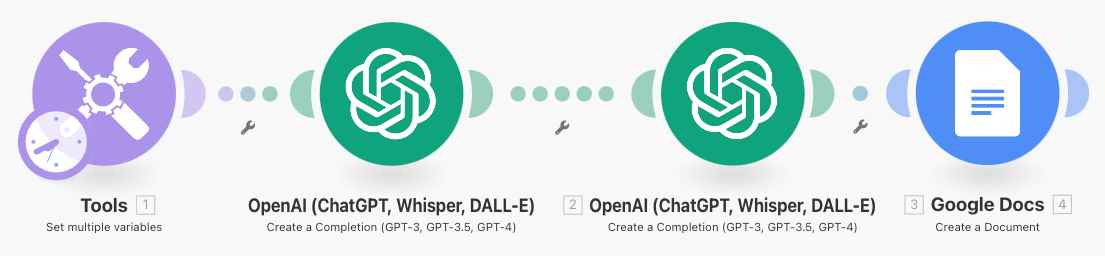
It creates sales letters based on your brand and style.
First go to Make.com and create a Free account.
Next, click here to setup the template/bot. Then click “create new scenario from template”.
Click on the “Tools” tab.
Under Item 1 → input the name of your brand/business under the “variable value”.
Under Item 2 → input a description of your brand under “variable value”.
Under Item 3 → input the writing style of your brand; example: positive, openminded, etc. under “variable value”.
Under Item 4 → input your niche under “variable value”.
From the first “OpenAI tab” click “add” to connect your account.
If you don’t know how; go to the link under “API key” in the OpenAI tab, then follow the guide. Then input the API key and organization ID when you have it.
Choose the AI-model, example: GPT-3.5 turbo or GPT-4(paid). The models are arranged from least powerful to most powerful.
Under Item 2 → you can edit the prompt if you want or use at it is.
From the second “OpenAI tab” you can edit the prompts as you like or keep them like they are. Go through it and play around with it if you want. This goes for all the settings, like tokens, temperature, etc.
From the “Google docs tab” just click “add” and connect your google docs account.
Choose where the document should be created.
Click “run it once” to start the process.
Customize: The settings and prompts have already been customized for you, but if you want to edit the scraping details, you can click the “OpenAI tab” and got to the “Message Content” box, then add/edit the “JSON tags”.
Just click in the box and you will get more options to choose from; customize however you like.
If you want to automate the process:
For example if you want to run the process automatically every friday at 11pm, then just click the “Every 15 minutes” button at the bottom left.
→ Choose the scenario from the dropdown box
→ Choose the day(s)
→ Choose the time
→ Click ok, then click “save” under “controls” on the right side of the button.
→ Lastly; “turn on” the workflow on the left side of the button, and it will run automatically from now on.
What do you want to see next? |
🛠️ Top AI Tools This Week
👉 Find all the best AI tools in the: AI tools directory.
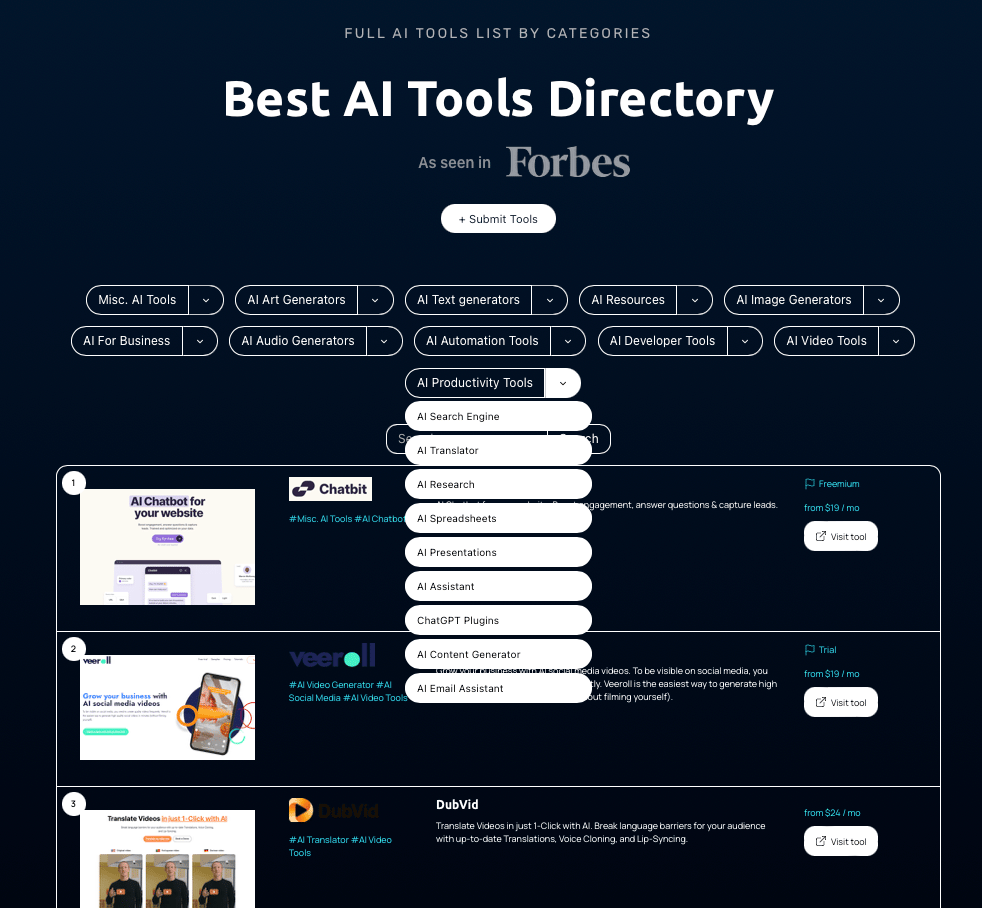
Top 5 AI tools this week👇
+ Creatify (short form videos) - Creatify is an AI app that generates high-quality marketing videos from a simple product link or a description.
﹢ Dropbot AI (Ecommerce) - Turn any product into a winning product with AI.
+ BOOLV (Content) - Boolv builds everything you need to make content creation as easy and efficient as possible. Rule our magic to grow your business.
+Domo AI (Video) - Recreate/design images and video.
+Vital (Mental health) - “Prompt me with what you're feeling, and I will create personalized guidance & meditations just for you.”
🙋🏼♂️ AI News and Advancements
There are some new AI video generators rolling out that we have been testing over the last week:
Introduces Dream Machine; brings static images to life.
focuses on creating narrative videos with consistent characters and environments across scenes.
Runway's Gen-3 Alpha;
offers a wide range of cinematic choices and precise art direction control.
Google Deep Mind's VEO;
generates 2D animations from text descriptions.
Additionally, Google is introducing a feature that reads webpages aloud and has unveiled a new resource to equip advertisers with helpful AI tools and expertise.
LinkedIn has introduced three new AI tools to make job searching easier.
Perplexity can display weather, time, and more in visually appealing cards. This gives you a quick overview of information.
Yahoo has upgraded their News app, allowing users to block keywords, flag clickbait, and customize their feed.
Snapchat, by Snap, now includes new AI-powered augmented reality capabilities. Additionally, a former Snap engineer has launched a new social network where users can create an AI persona.
Have a great weekend, and we’ll talk soon 🚀
Best Regards,
Lasse Linnes, CEO Insidr.