- Insidr.ai Newsletter
- Posts
- Top AI Advancements, Guides & Tools June 6th 🙋🏼♂️
Top AI Advancements, Guides & Tools June 6th 🙋🏼♂️
Top AI Advancements, Guides & Tools June 6th 🙋🏼♂️

insidr.ai
June 06, 2024
Top AI Advancements, Guides & Tools June 6th 🙋🏼♂️
Ready for another week? Let’s take a look👇
💡In this newsletter:
AI Guide: Create workflows & automate tasks + custom made website scraping bot.
AI Poll: Are you using automations in your work/business?
AI News & Trends: Interesting happenings in the AI landscape.
AI Tools: Top 7 AI tools in May.
🤖 Create workflows & automate tasks
💡 Make.com is fenomenal for tasks and workflows to apps and systems; you can build and automate anything in one visual platform.
Website Scarping Bot - using Make👇
Here is a custom made, ready-to-go template, or “AI bot”, that you can try for yourself.
It scrapes website news with the help of RSS. As an example, you can automatically stay on top of news in the AI space from the top news websites, by scraping their pages.
First go to Make.com and create an account.
Next, click here to setup the template/bot. Then click “create new scenario from template”.
Click the “RSS tab” from the template and paste the rss-link to the website you want to scrape.
(find the rss-link by; “right-click” on their page → “view page source” → “command + F” → “type RSS” → “copy the RSS-link and paste in Make template”
Select from where you want the scraping to start
From the “OpenAI tab” click “add” to connect your account.
If you don’t know how; go to the link under “API key” in the OpenAI tab, then follow the guide. Then input the API key and organization ID when you have it.
Choose GPT-model (GPT is to be preferred, but the others works good as well).
From the “Google docs tab” just click “add” and connect your google docs account.
Choose where the document should be created.
Click “run it once” to start the process.
If you want to automate the process:
For example if you want to run the process automatically every friday at 11pm, then just click the “Every 15 minutes.” button at the bottom left.
→ Choose the scenario from the dropdown box
→ Choose the day(s)
→ Choose the time
→ Click ok, then click “save” under “controls” on the right side of the button.
→ Lastly; “turn on” the workflow on the left side of the button, and it will run automatically from now on.
🛠️ Top AI Tools This Week
👉 Find all the best AI tools in the: AI tools directory.
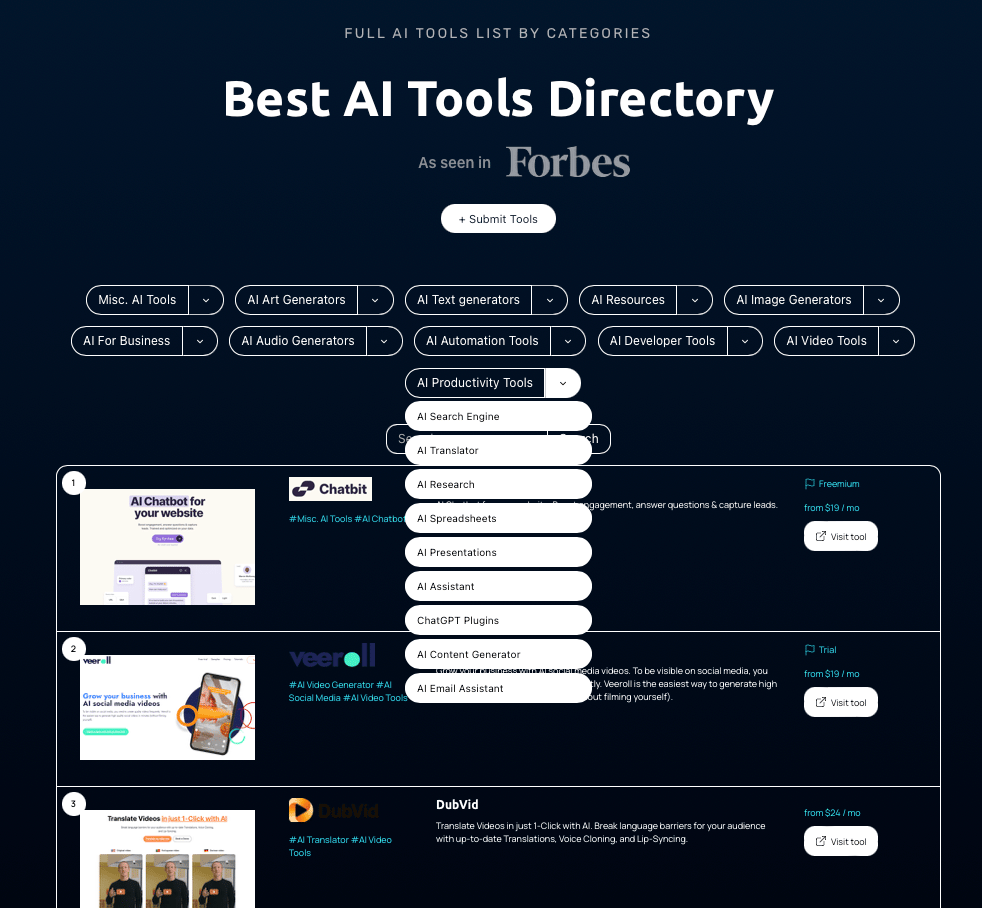
Top 5 AI tools clicked on Insidr.ai in May 2024👇
+ Adcreative.ai (Social media) - Uses AI to generate high-conversion ad creatives, significantly boosting conversion rates and saving time on design processes. Tools for text generation, competitor insights, and complete ad packages tailored for various business needs.
﹢ Cody (AI Agents) - Cody is an AI assistant like ChatGPT, customizable with your company's knowledge base to aid in tasks, guidance, brainstorming, and problem-solving.
+ Jasper AI (Content) - All-in-one copilot for marketing purposes, that will help you create content for any channel.
+Durable (Website builder) - Create a website in 30 seconds, designing the layout, finding images, and writing copy instantly. Helps drive traffic with an AI Assistant that creates promotions, marketing plans, client responses, and provides platform navigation support.
+Tldv.io (Meetings & Company insights) - Tool that records, transcribes, and summarizes meetings; offers features like multi-language support, automated meeting insights, and integration with over 5000 tools, enhancing productivity and collaboration across teams.
🙋🏼♂️ AI News and advancements
Google has unveiled new Chromebooks equipped with sophisticated AI capabilities. These include a Google Meet feature that combines the audio inputs and outputs of multiple devices in the same room, as well as Generate AI Ops, designed to assist Cloud users in deploying AI products effectively.
Microsoft has enhanced its offerings by adding a Copilot bot to Telegram and integrating AI-powered image generation into Paint.
YouTube Music now features the ability to identify songs based on humming or whistling directly into the app.
Hugging Face has released Transformers Agent 2.0, introducing new agent types that utilize iterative processes based on previous observations to address complex tasks more efficiently.
Have a great weekend, and we’ll talk soon 🚀
Best Regards,
Lasse Linnes, CEO Insidr.ai